Release 4.2.9
New Features
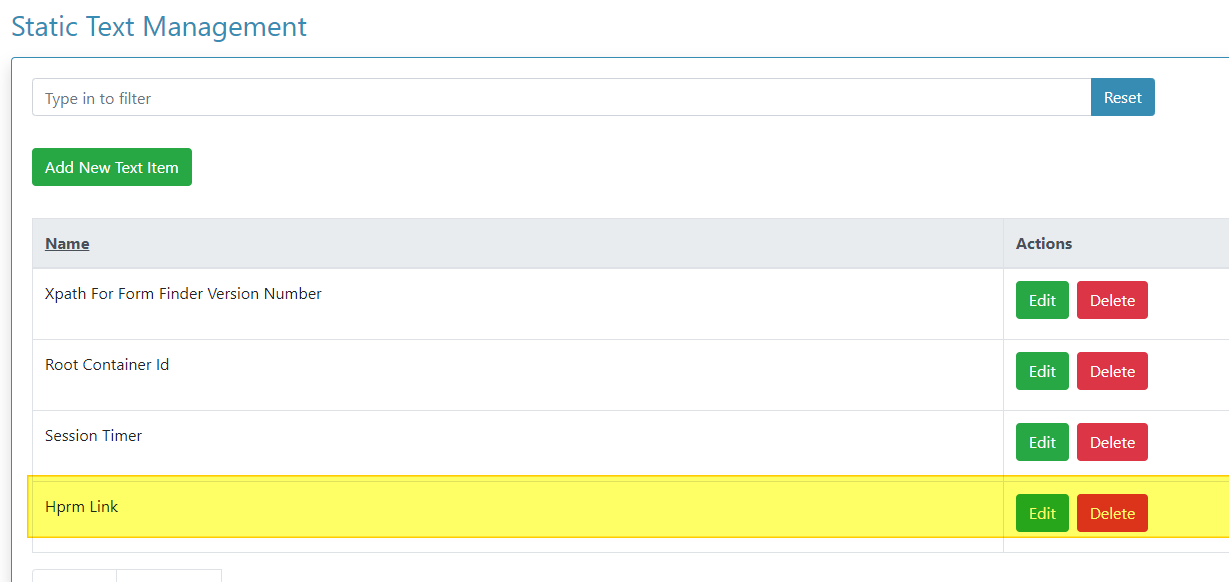
HPRM Link Added
A new entry has been added in Static Text management called 'Hprm Link.'
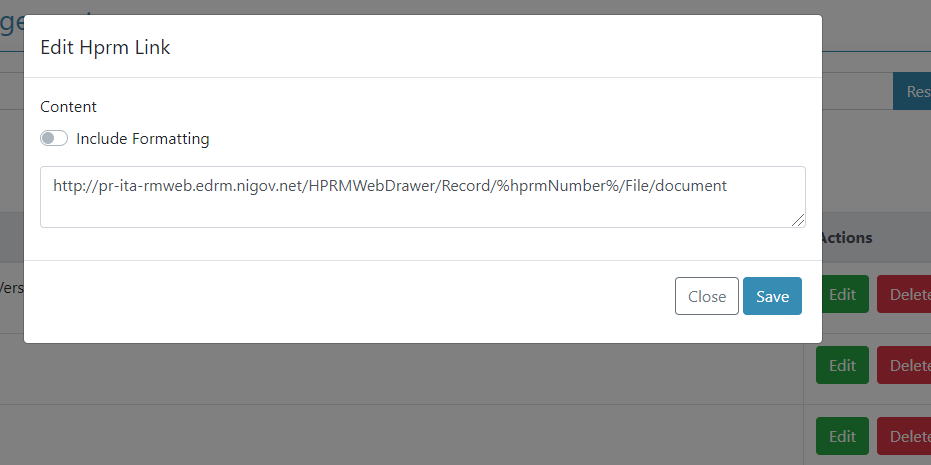
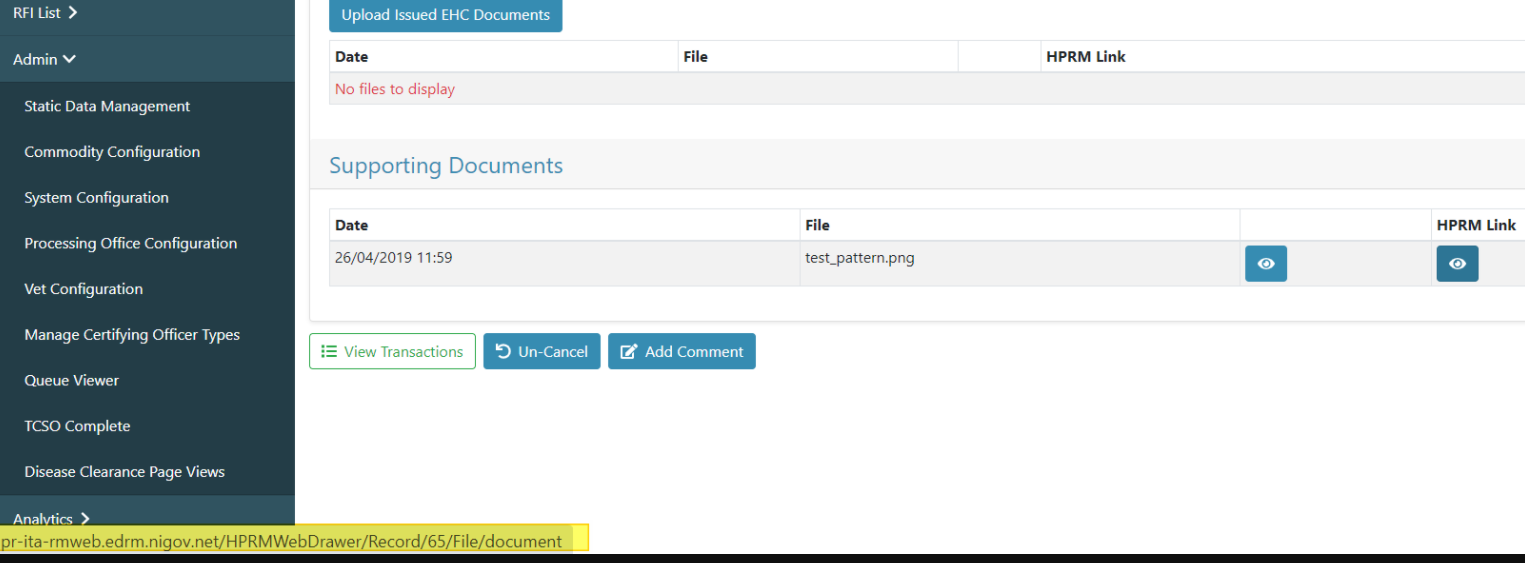
User will now be able to open documents in trim by clicking the HPRM Link view icon which redirects to the hyperlink in static data.
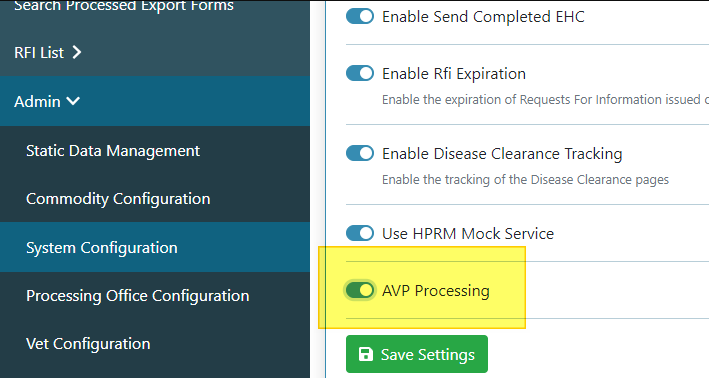
Toggle Feature for Availability of AVP Logic / Flows
An AVP Processing Toggle is now present in Admin - System Configuration.
Add AVP by Organisation ID
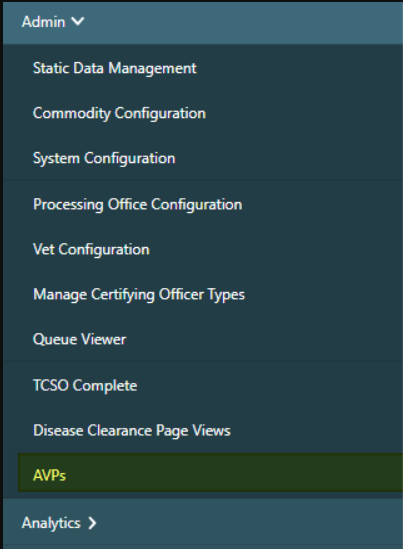
To enable a user to add a new AVP by Organisation ID, a new menu item has been added to Decol Admin 'AVPs.'
This menu item will display a grid view of all current AVPs.
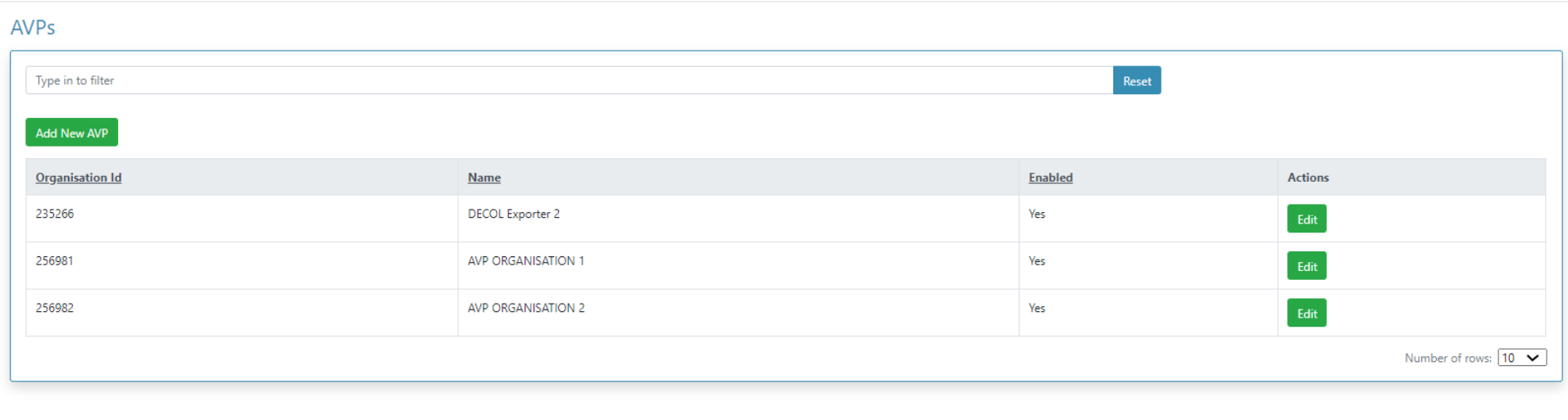
A user can now add a new AVP by clicking the green 'Add New AVP' button which will launch a modal.
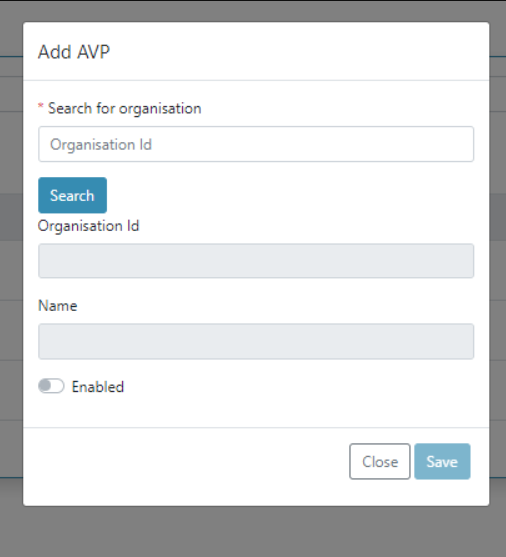
Type the organisation ID - If the organisation ID found the system will prefill the 'Organisation Id' and 'Name.'
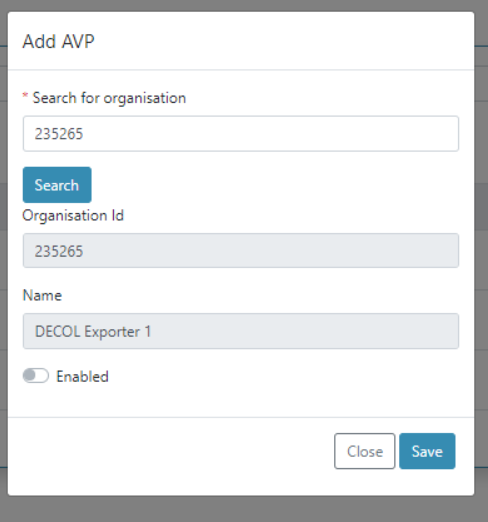
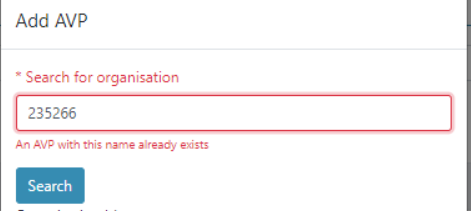
If the AVP already exists an error message will display.
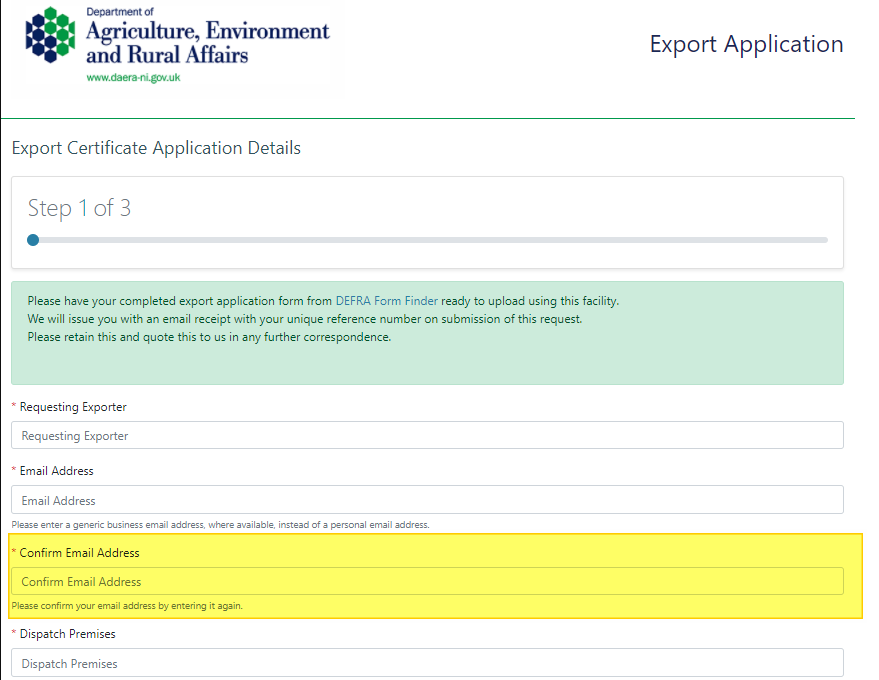
Second Email Field Added - Freshdesk #1877
A 'Confirm Email Address' field has been added to ensure applications are being submitted using correct and accessible email addresses. This field will now be displayed on all three flows for Exporter's Portal and Public.
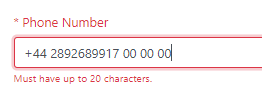
Phone Number Field Added - Freshdesk #1878
A 'Phone Number' field has been added to enable Admin to correspond via telephone. This field will accept alphabetical and numerical characters and has been coded to allow a maximum of 20 characters. This field will now be displayed on all three flows for Exporter's Portal and Public.
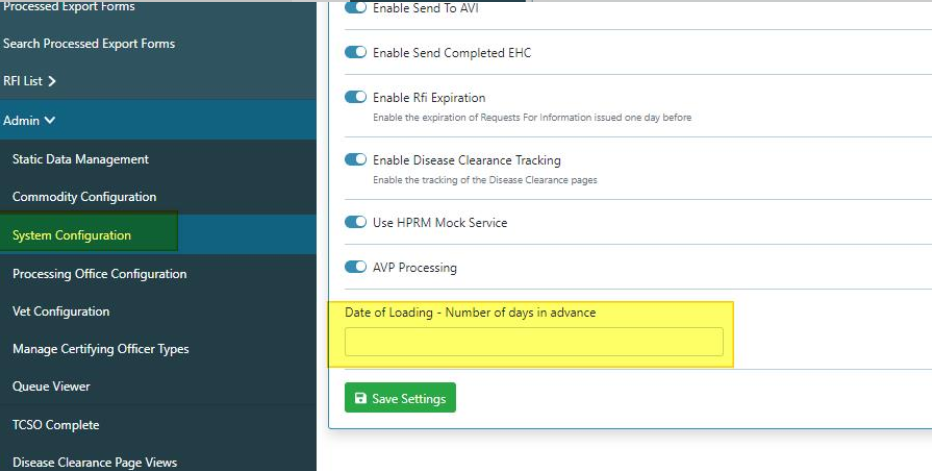
Increase Advance Date for Applications - Freshdesk #1876
To avoid applications that have been applied for in advance being missed, the advance date for applications can now be increased. A new system configuration item has been added 'Number of days in advance,' which can be edited by admin.
When this field is left blank the system functionality will perform as it did previously.
Bug Fixes
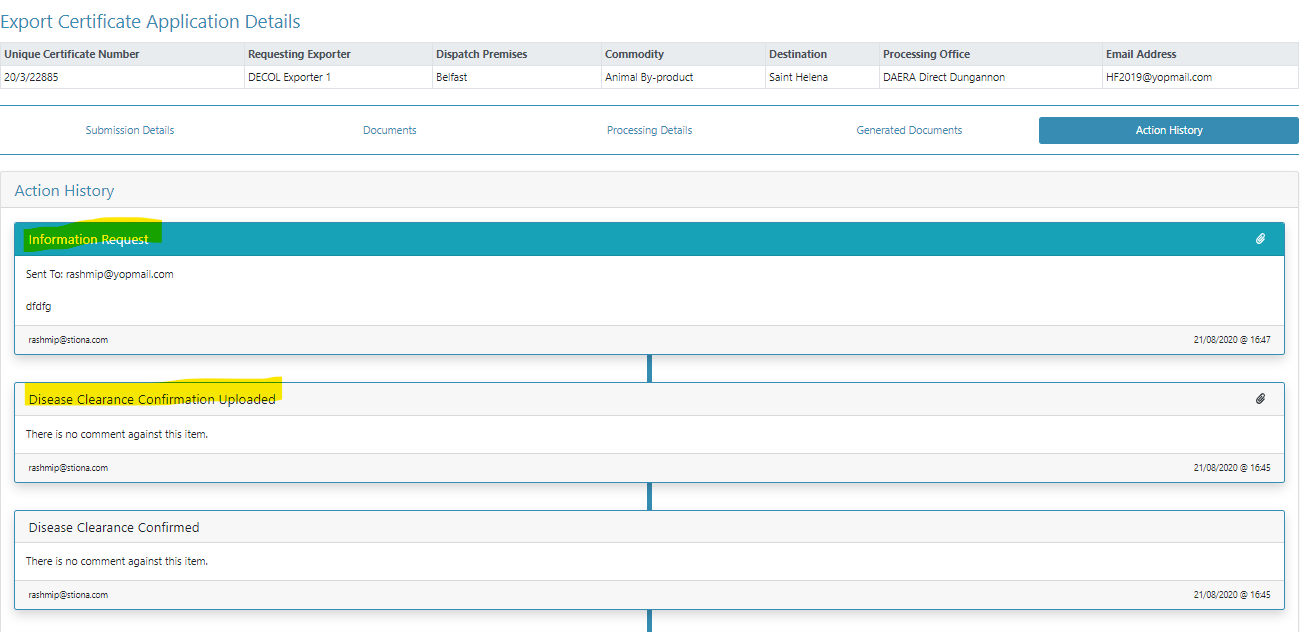
Exporters Portal - RFI Tab showing Communication between DAERA and AVI - Freshdesk #1833
The AVI flow communication is no longer visible to the Exporter - Only Communication between Admin and the Exporter is visible to the Exporter.
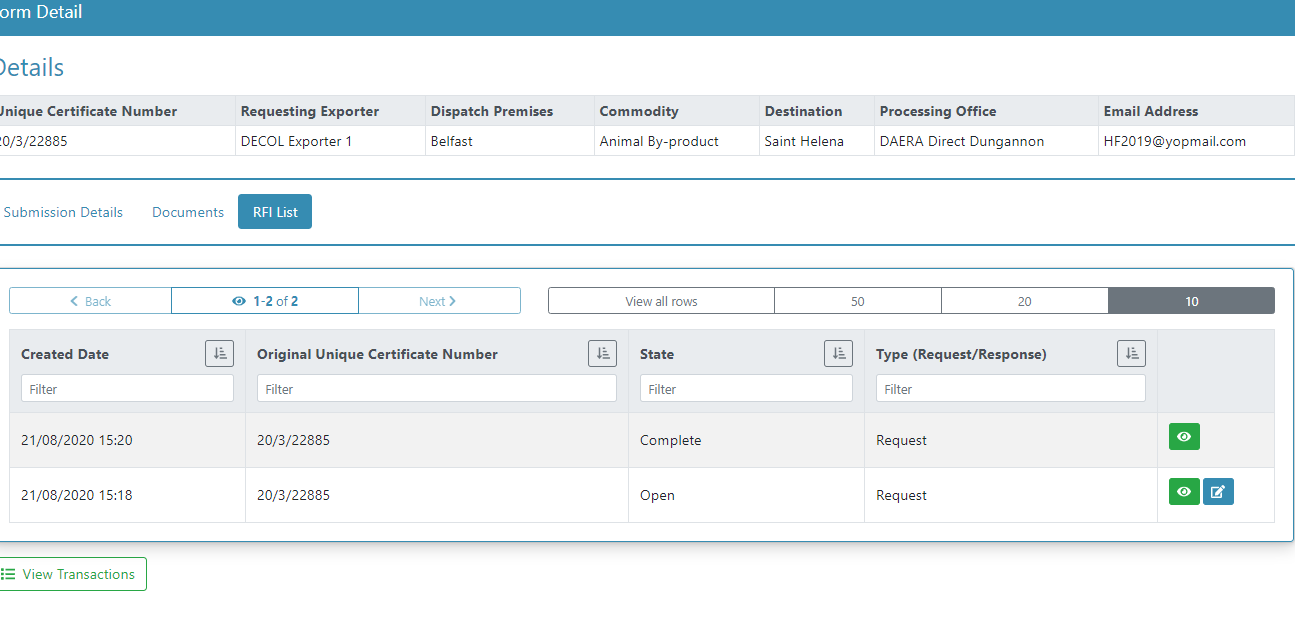
Expired RFI's not changing to 'Closed - Expired' - Freshdesk #1957
The RFI state has now been fixed, if admin toggle 'Enable RFI Expiration' is switched on in 'System Configuration,' the behaviour will be as follows:
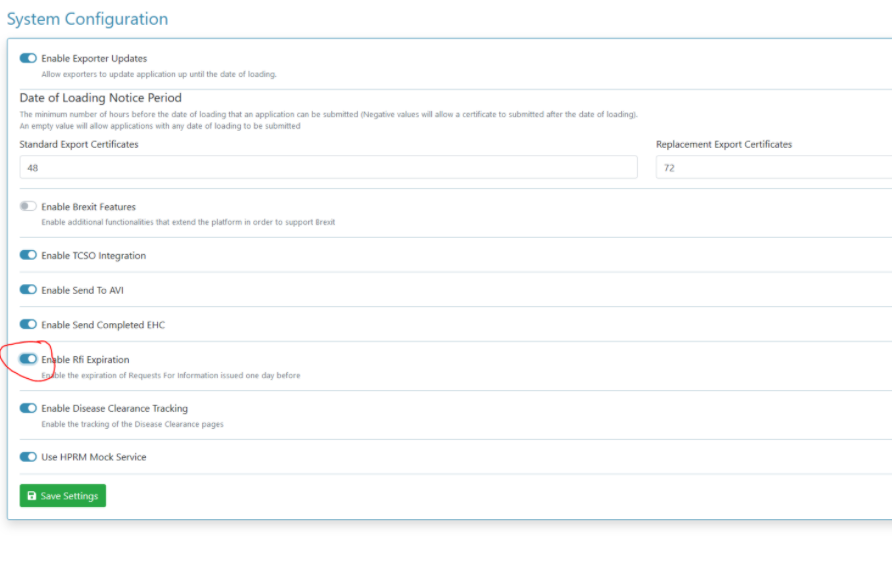
- ‘Closed - Expired’ - Exporter has not responded to the RFI before 6pm next working day and RFI has expired.
Note
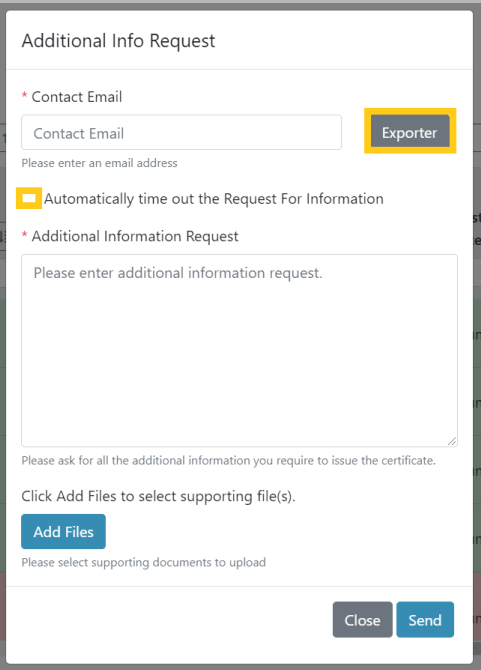
The RFI will only display as 'Closed - Expired' if 'Automatically time out the Request for Information' was selected by clicking the exporter button or checking the checkbox when the RFI was requested by admin.
Disappearance of 'Confirm Disease Clearance' button when 'TCSO check is received' - Freshdesk #1941
The 'Confirm Disease Clearance' button is now available in all application states.
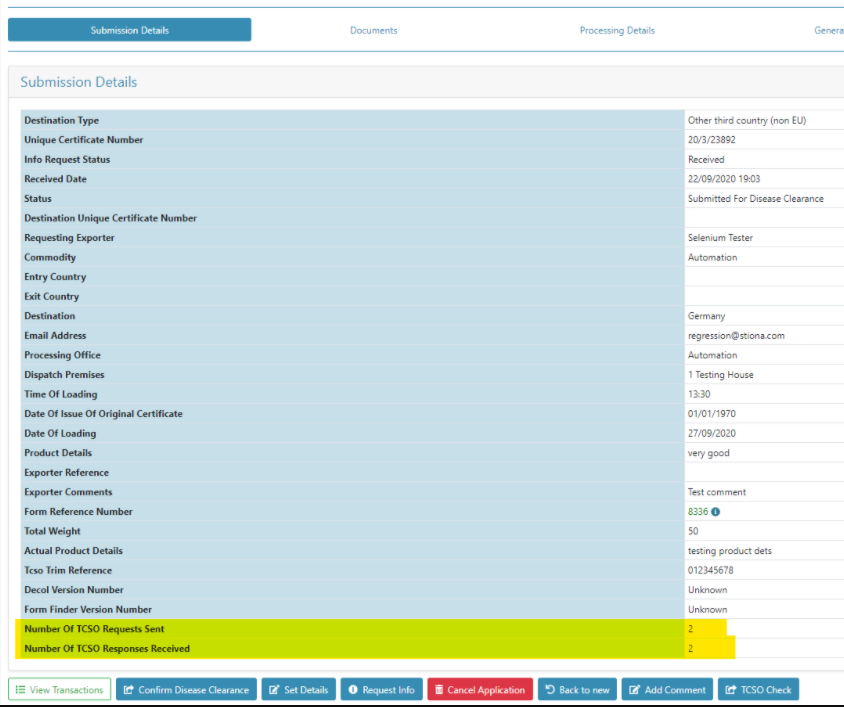
Two additional fields have been added to the Submission Details view:
Number of TSCO Requests Sent
Number of TSCO Responses Received